Features
Everything your mall does, in one place.
Storefront, register, dealer portal, payouts and reports — sharing one inventory, so every number agrees with every other number.
Your mall’s own website, with every booth on it.
Each mall gets a storefront on its own domain, in its own colors. Shoppers search the whole building at once — or browse one dealer’s booth.
- Search, categories, price filters and “can be shipped”
- A page for every dealer with their story, specialties and booth number
- Item pages tell shoppers exactly which booth to find it in
- Checkout with store pickup or shipping, quoted by weight
- A “recently sold” room that proves your stock moves
- Shopper accounts with order history; guest checkout too
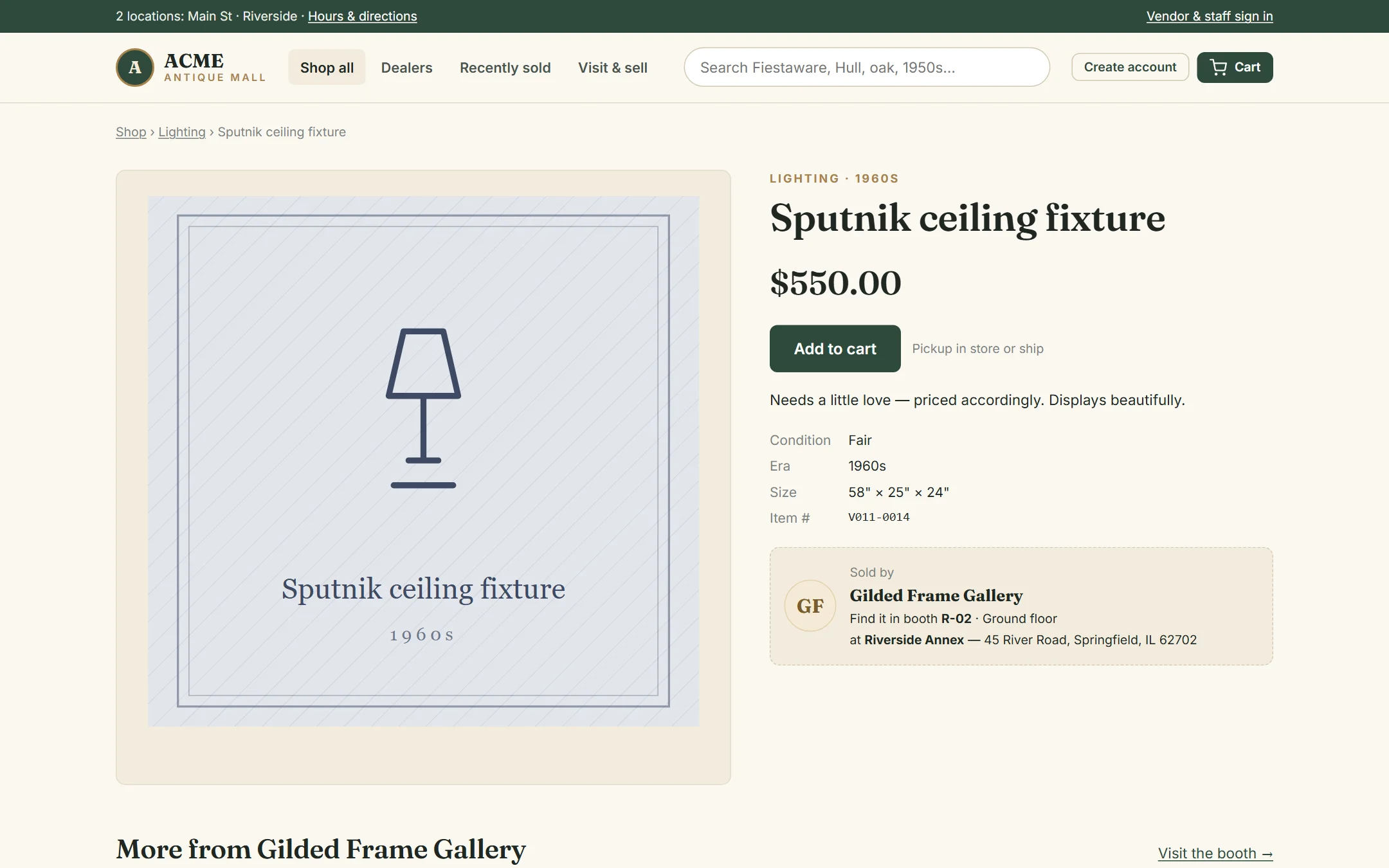
Most shoppers will find you on their phone.
The storefront is designed phone-first, from search to checkout. So is the dealer portal — dealers can list an item from the booth with their phone camera.
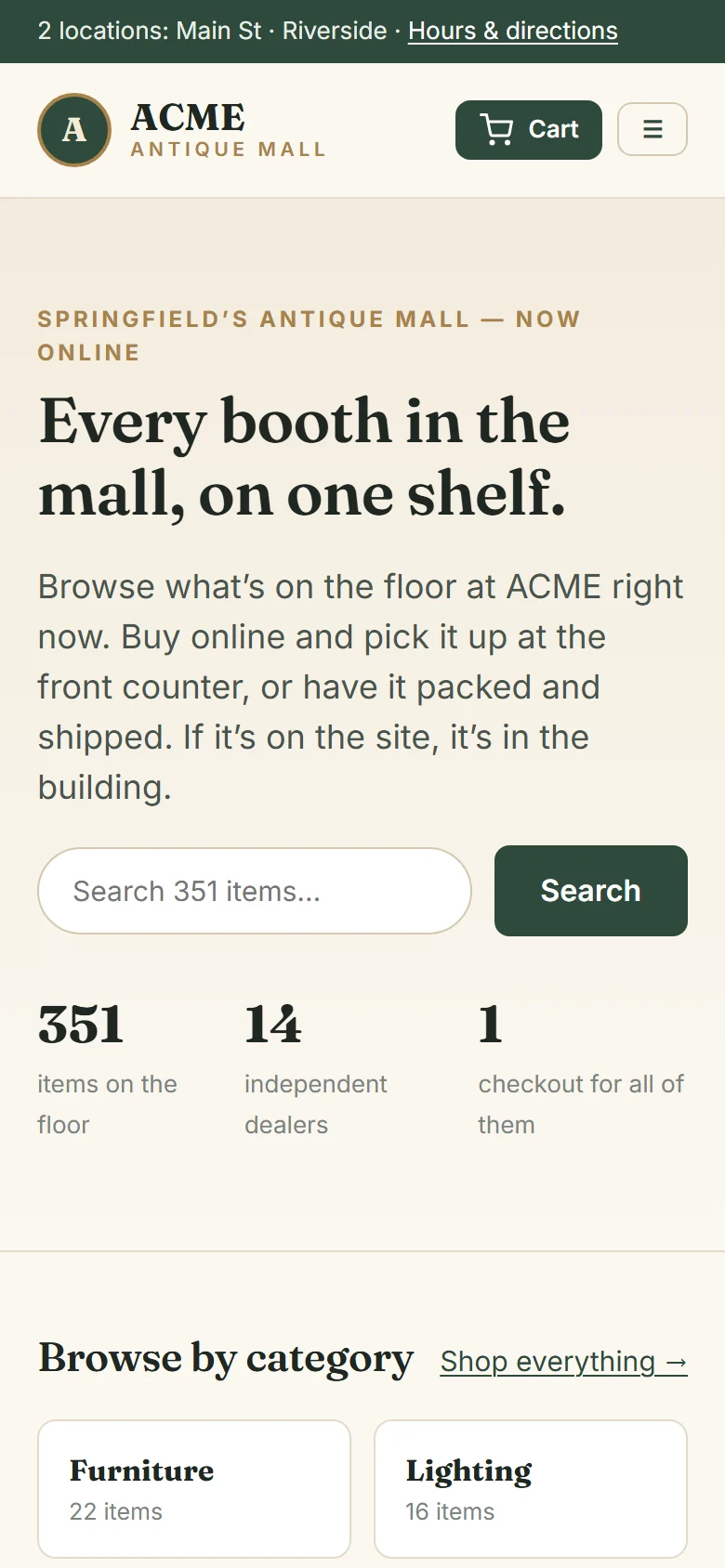
One register for every booth.
Scan the barcode on the price tag, or type a few letters of the item. Take cash with quick change buttons, card, check, or the mall’s own gift certificates. A single ticket can hold items from a dozen dealers — each one gets their share.
- Barcode tags print from AllAisles; any USB scanner reads them
- Dealer-approved discounts at the register (if the cashier’s role allows it)
- Paper gift certificates accepted, with the certificate number on every sale
- Already-sold items are flagged before they’re rung up twice
- Printable receipts and reprints from any order
- Runs in a web browser — any PC, laptop or tablet at the counter
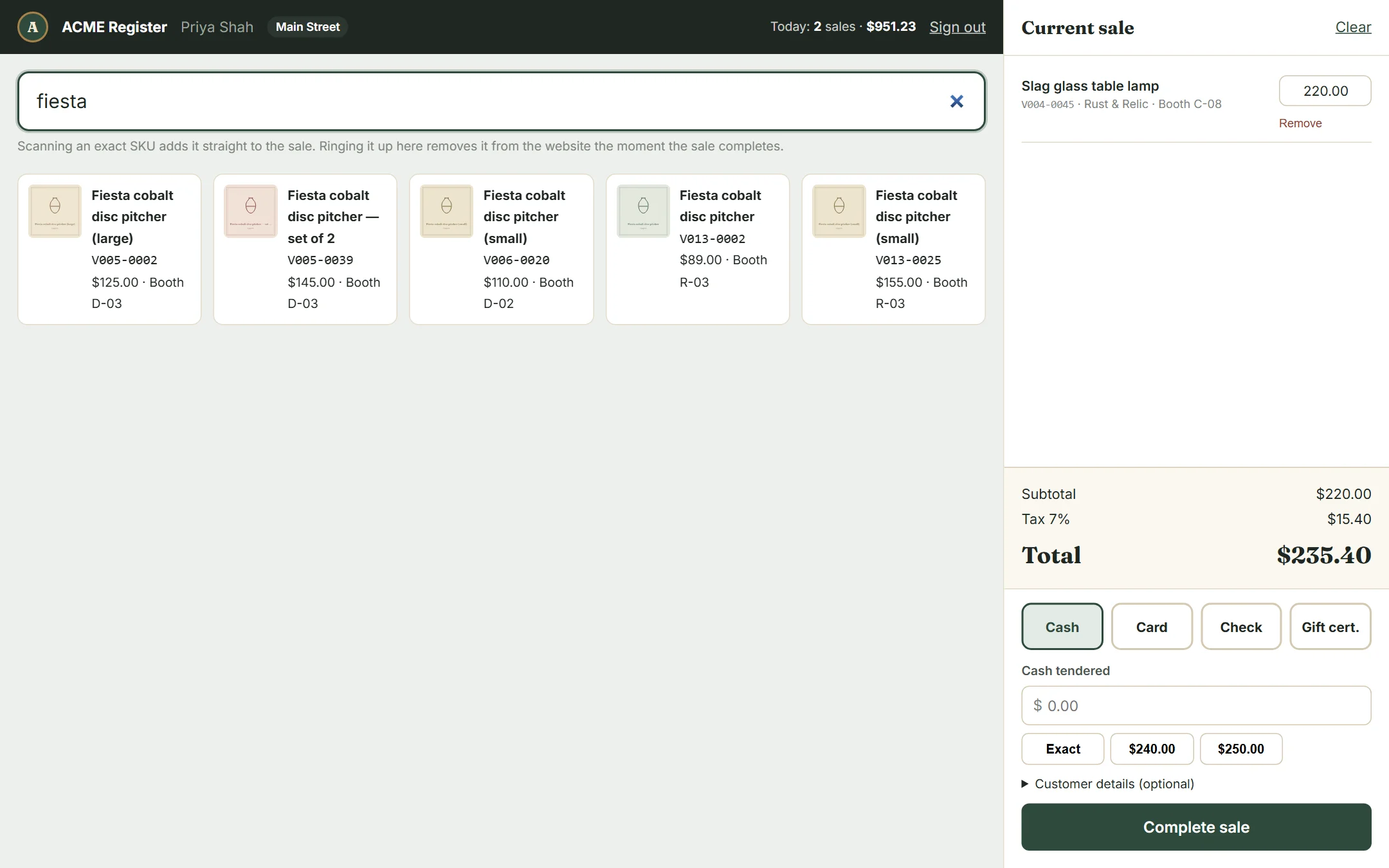
Online orders walk themselves through the floor.
Paid online orders land on a pull list sorted by booth, so staff can walk the aisles once. Pickup orders switch to “ready” when every piece is pulled; shipped orders take a tracking number.
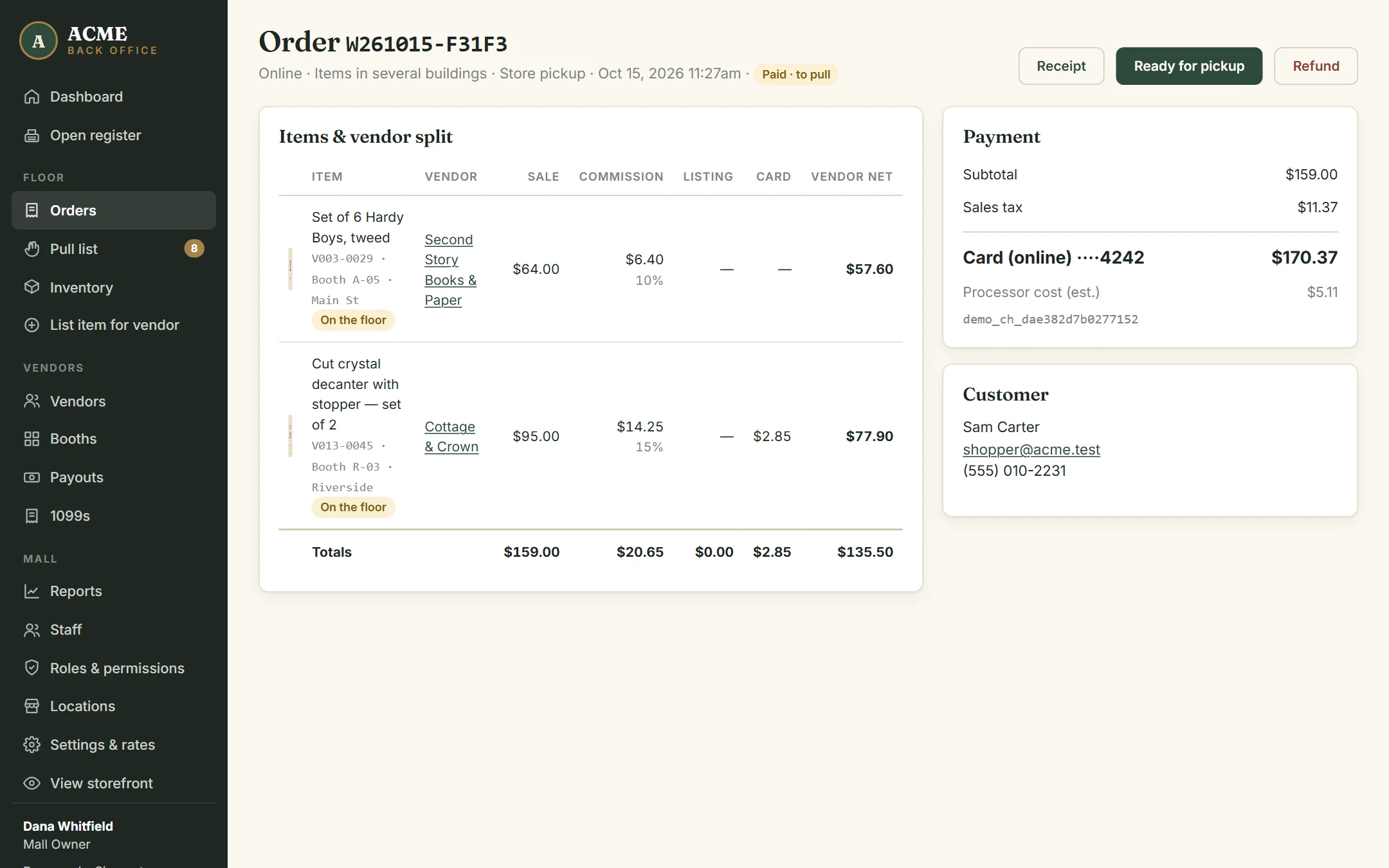
Every dealer gets a login the day their booth is assigned.
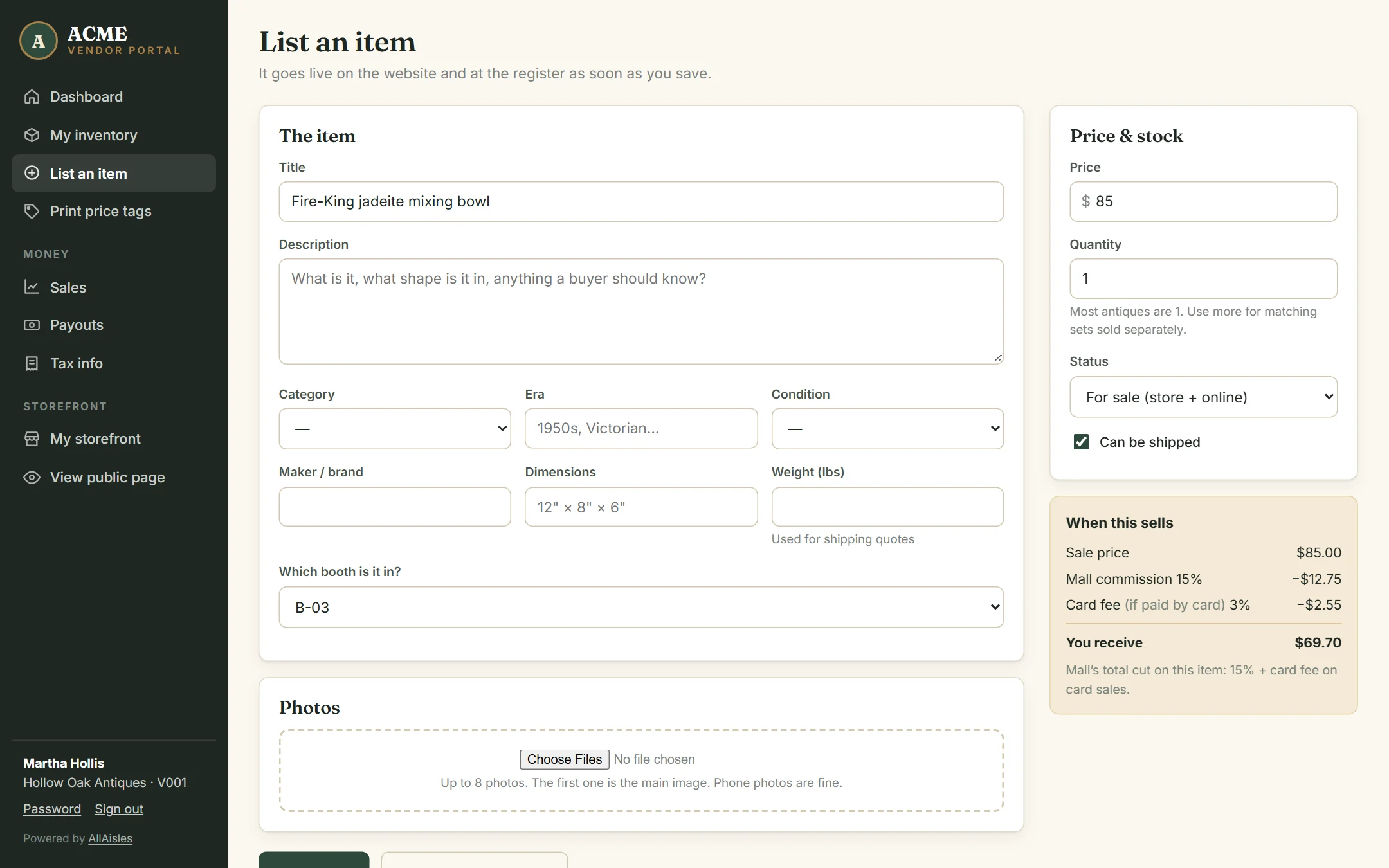
When you assign a booth, AllAisles creates the dealer’s login. From home they can list items with photos, print price tags, watch sales come in and read their statements.
- “When this sells, you receive…” shown live as they price an item
- Inventory by status: for sale, hidden, sold, removed
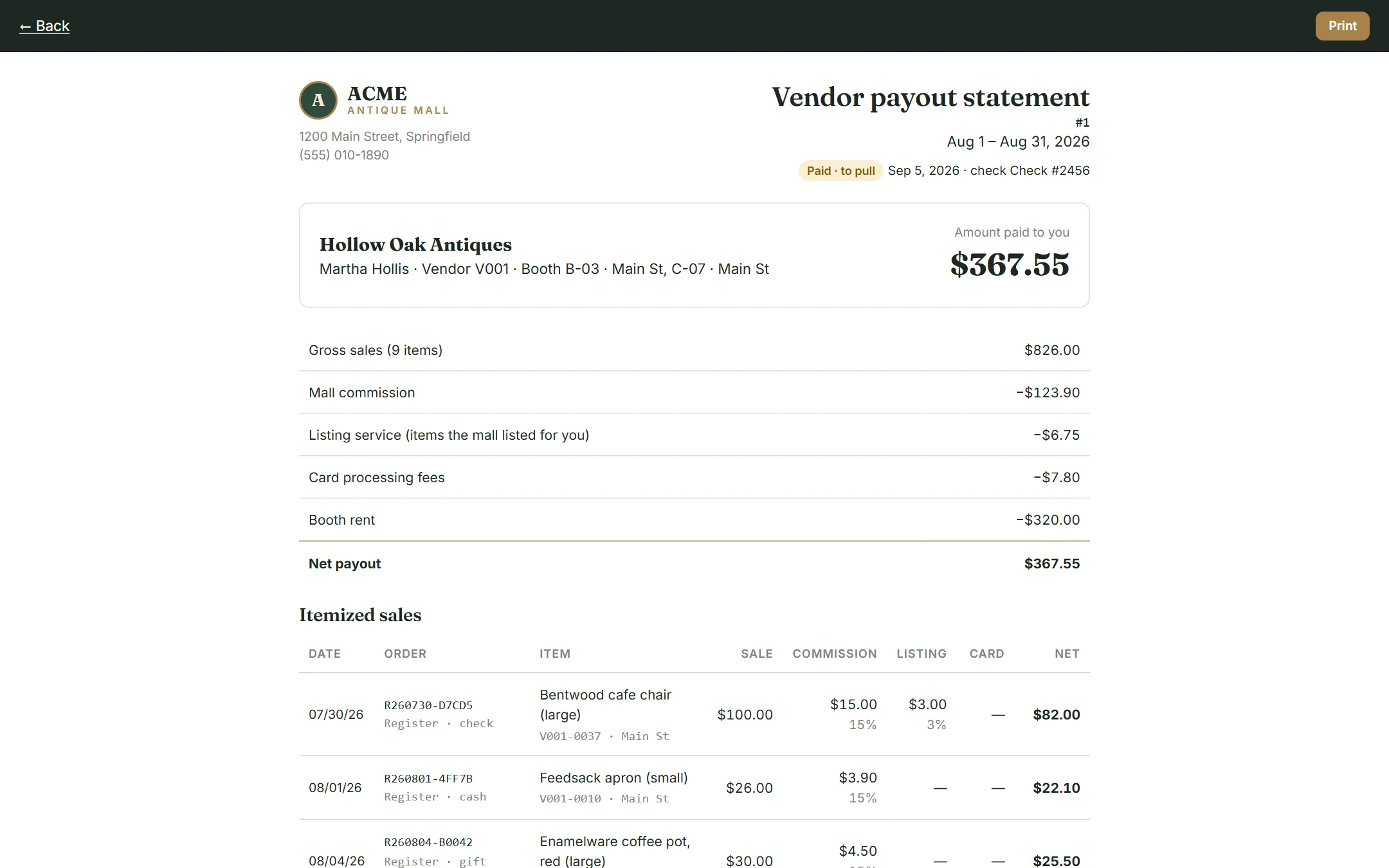
- Every sale itemized with the mall’s cut spelled out
- Their own storefront page they can edit themselves
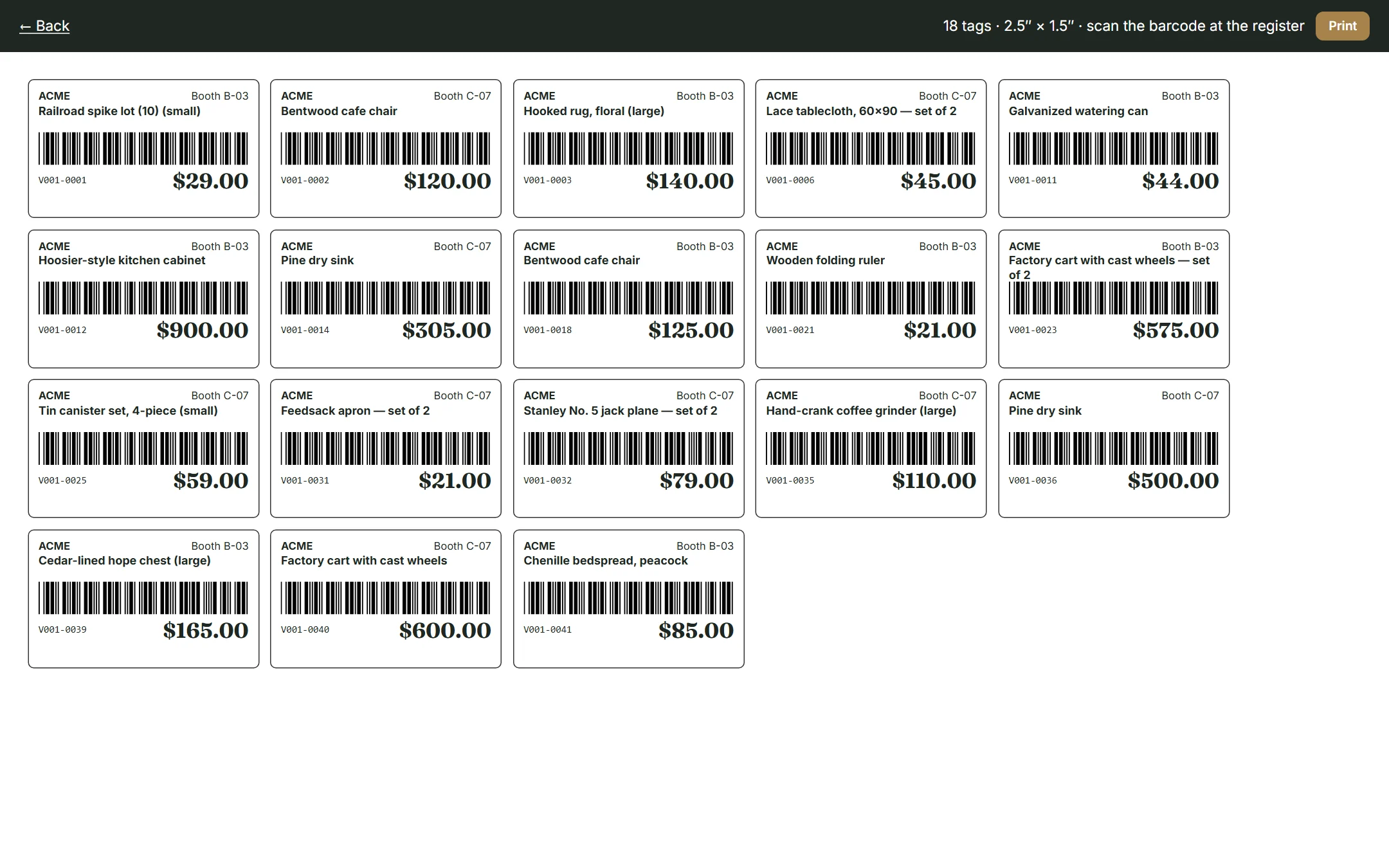
Tags that the register can read.
Every item gets a SKU under its dealer’s code. Print a sheet of 2.5″ × 1.5″ tags with a barcode, price and booth — for one item, a whole booth, or everything listed this week.
Money
Your rates. Your schedule. No spreadsheets.
Per-dealer commission
10%, 15%, 25% — whatever each dealer agreed to. Change it any time; past sales keep the rate they sold at.
Listing service fee
When your staff lists an item for a dealer, their extra rate (say +3%) is added to that item automatically. 17% becomes 20% — only on items you listed.
Card fees, your way
Pass card processing to dealers, add it to the customer’s total, or absorb it. Exempt individual dealers if you’ve agreed to.
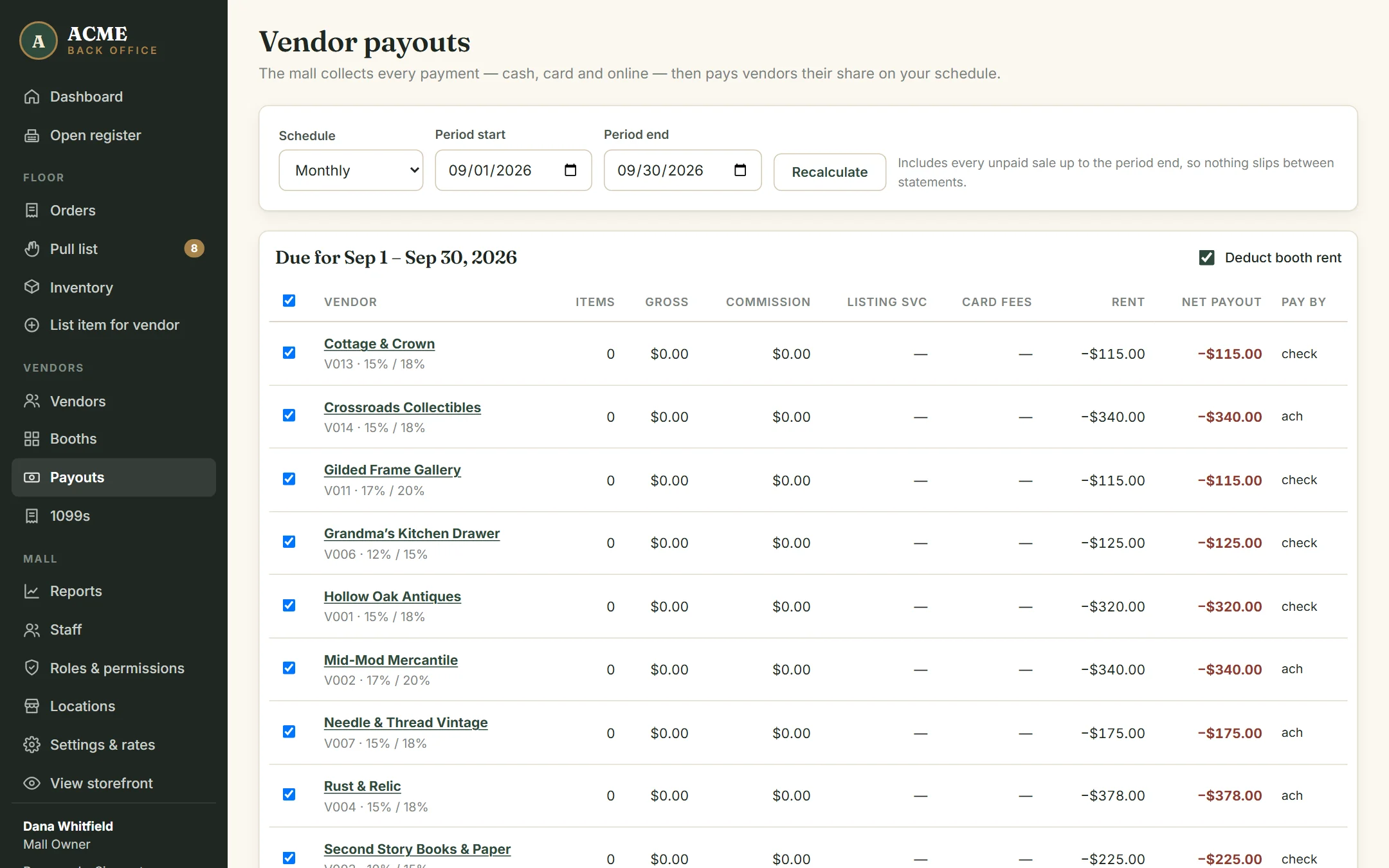
Payouts in a click
Weekly, every two weeks or monthly. Booth rent comes out automatically. Print each statement and mark it paid with the check number.
Refunds that reconcile
Refund an order and the items go back on the floor. Already paid the dealer? The refund comes off their next statement.
Year-end 1099s
Dealers sign their W-9 online. At year end, report gross sales, net payouts or commissions — your choice — and export the file for your filing service. Tax IDs are encrypted and every view is logged.
Reports for you & your accountant
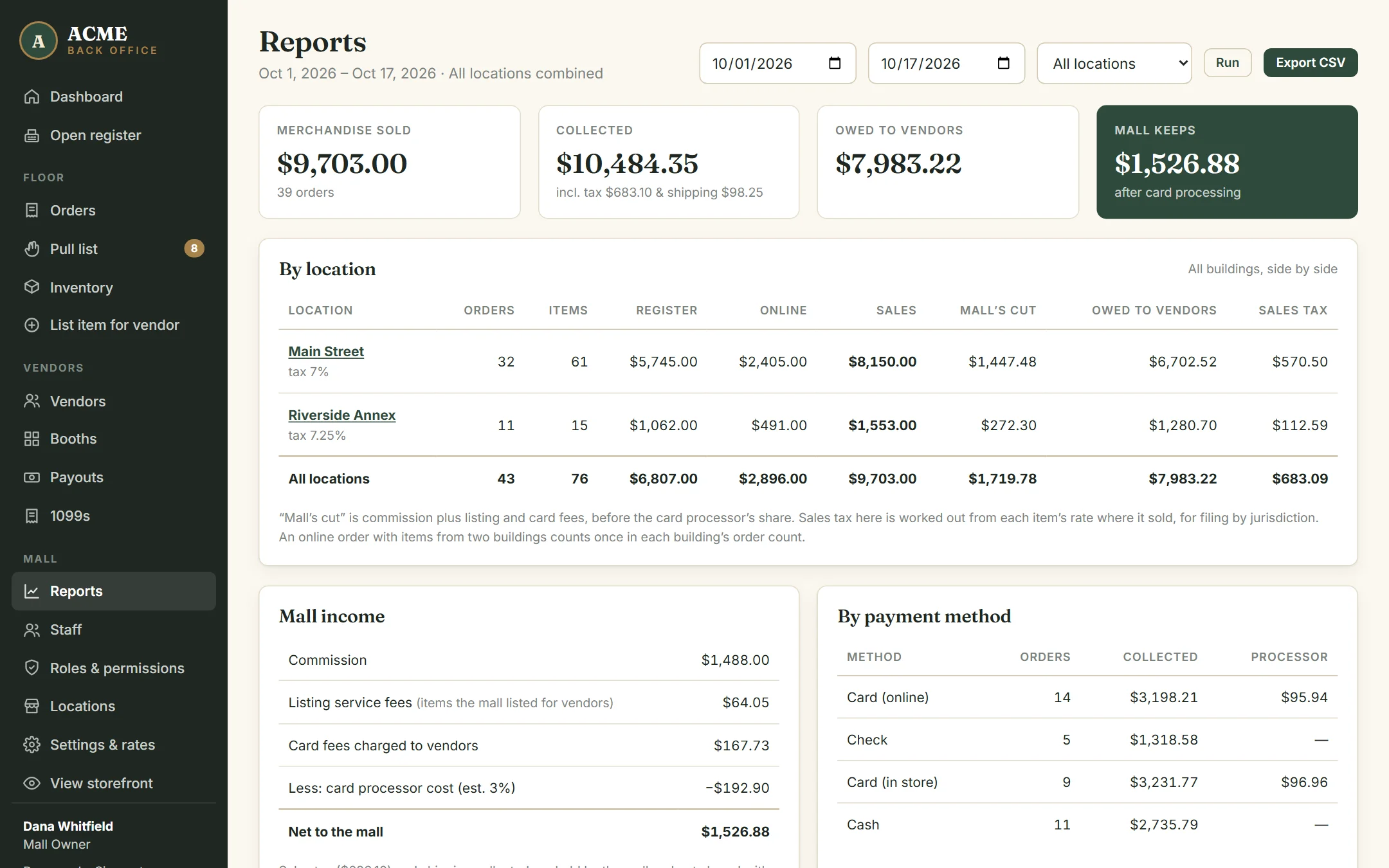
Sales by dealer, payment method, channel and category; what the mall keeps after card costs; and a CSV export of every line.
Decide exactly what your staff can do.
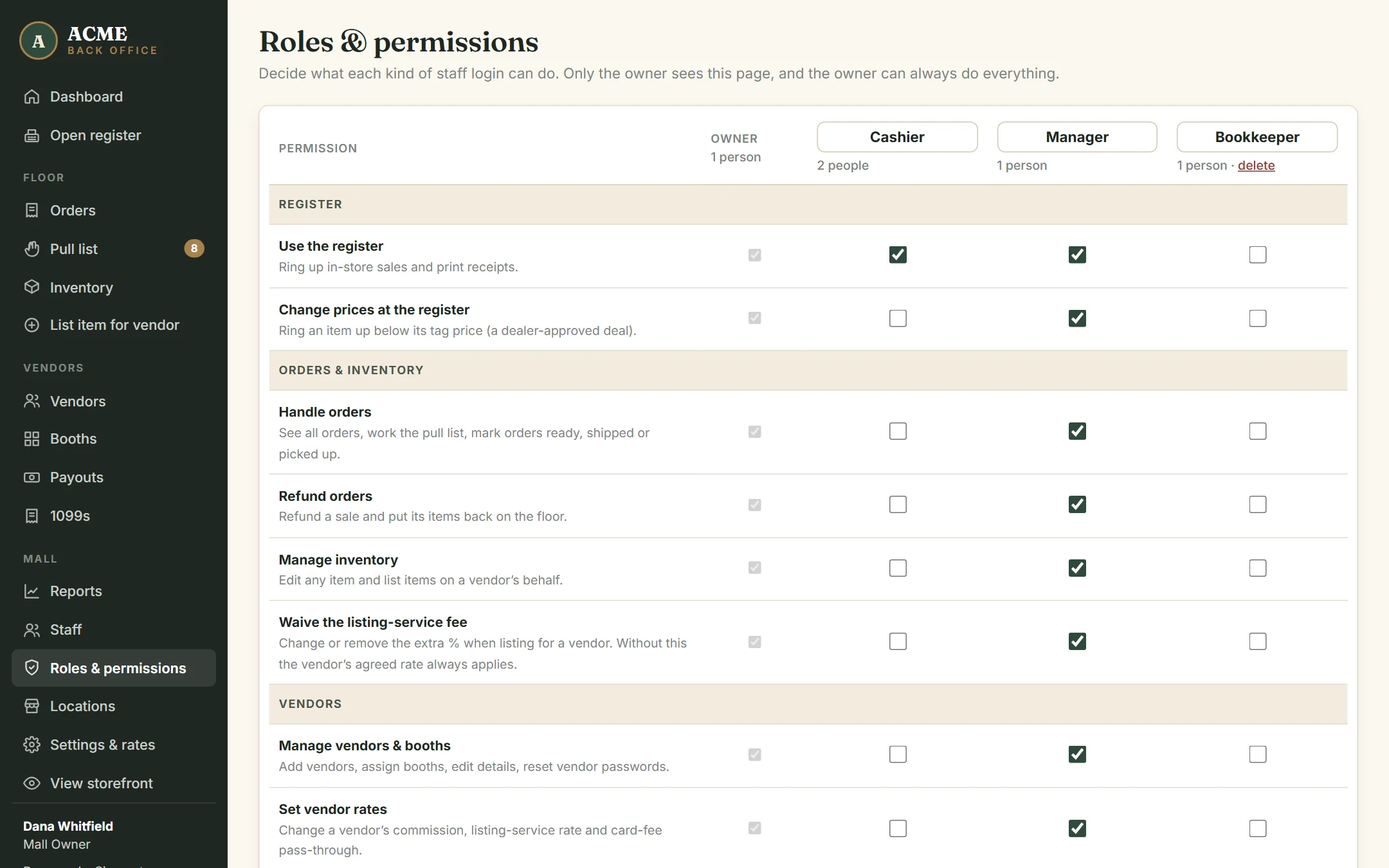
Some owners want managers to run everything. Some want rates and payouts kept to themselves. AllAisles lets the owner tick, permission by permission, what each role can do — and create new roles like “Bookkeeper” or “Floor lead”.
- 14 permissions: refunds, register discounts, vendor rates, payouts, reports, 1099s, settings and more
- Enforced on the server, not just hidden on the screen
- Staff can never hand out more access than they have
- The owner always has full access, and there’s always an owner
Two buildings, one mall.
Run several buildings as one mall. Shoppers search them all; staff and dealers use one login everywhere; dealers with booths in two buildings get one statement. Each building has its own registers, address and sales tax rate.
- Reports combined, side by side, or one building at a time
- Sales tax collected per building, for filing by jurisdiction
- Staff assigned to the buildings they work at
- A mall with one building never sees any of it
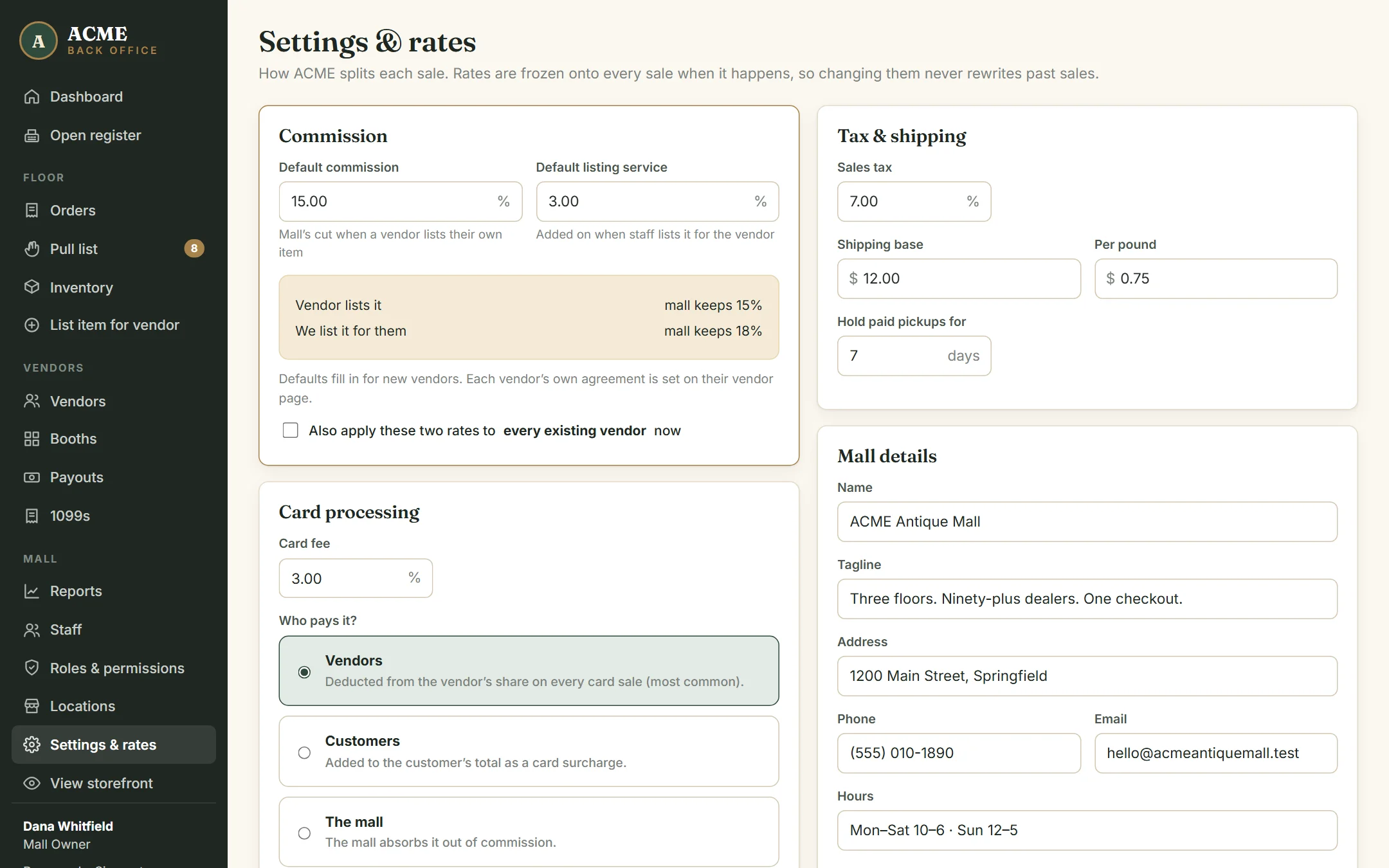
Your rules, in one screen.
Default commission and listing-service rates, card fee and who pays it, sales tax, shipping, how long you hold pickups, and how often you pay dealers.
Hosting & care
We keep it running.
AllAisles runs on Laravel Cloud, a managed hosting platform from the team behind Laravel, with daily database backups and secure HTTPS on every mall’s domain. We handle updates, security patches and certificates, and we answer the phone when the register has a question on a Saturday.
On the way
Being honest about what’s next, so nothing here promises more than it does today:
- Integrated card readers (Stripe Terminal) — today, cards run on your own terminal and are recorded at the register.
- Order emails — “we got your order” and “ready for pickup” notices.
- Offline register — keep selling if the mall’s internet drops.
- Import tools — load dealers, booths and inventory from your current system. (Until then, we do it for you during setup.)
See your mall on AllAisles.
Walk through the live demo on your own, or book 30 minutes and we’ll show it with your booth count, your rates and your floor plan in mind.