Running the mall
Dealers & booths
Every dealer has one record in AllAisles: their details, their booth or booths, their rates, and their login. You create all of it in one step.
Add booths first
Back office → Booths. Add each booth with a code (what’s on the floor sign, like B-07), a location, a size and the monthly rent. You can assign or change a booth’s dealer from the same table later.
Add a dealer
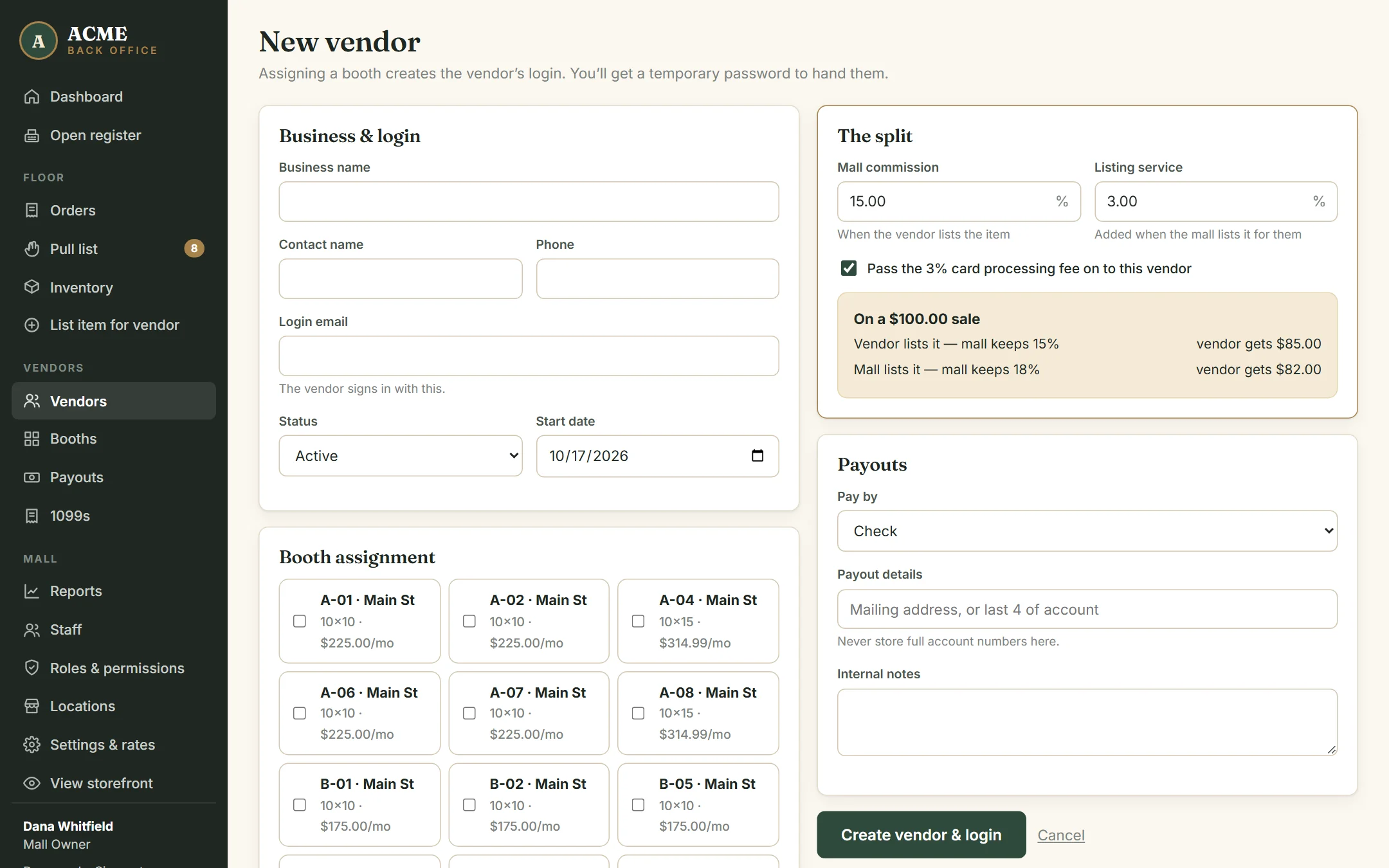
- Go to Vendors → New vendor & login.
- Fill in the business name, contact name, phone and login email — the dealer signs in with this.
- Under Booth assignment, tick their booth (or booths). Only empty booths are listed.
- Under The split, set their mall commission and listing service rate. The box underneath shows what they’d receive on a $100 sale both ways.
- Choose whether the card processing fee is passed on to them.
- Choose how you pay them (check, ACH, cash or store credit) and any notes for your records.
- Click Create vendor & login.
The next screen shows the dealer’s temporary password once. Give it to them in person or by phone. If it’s lost, open the dealer and click Reset password to issue a new one.
The dealer page
Click any dealer in Vendors to see what they’re owed right now, their items, payout history, their agreement and their login status — including when they last signed in.
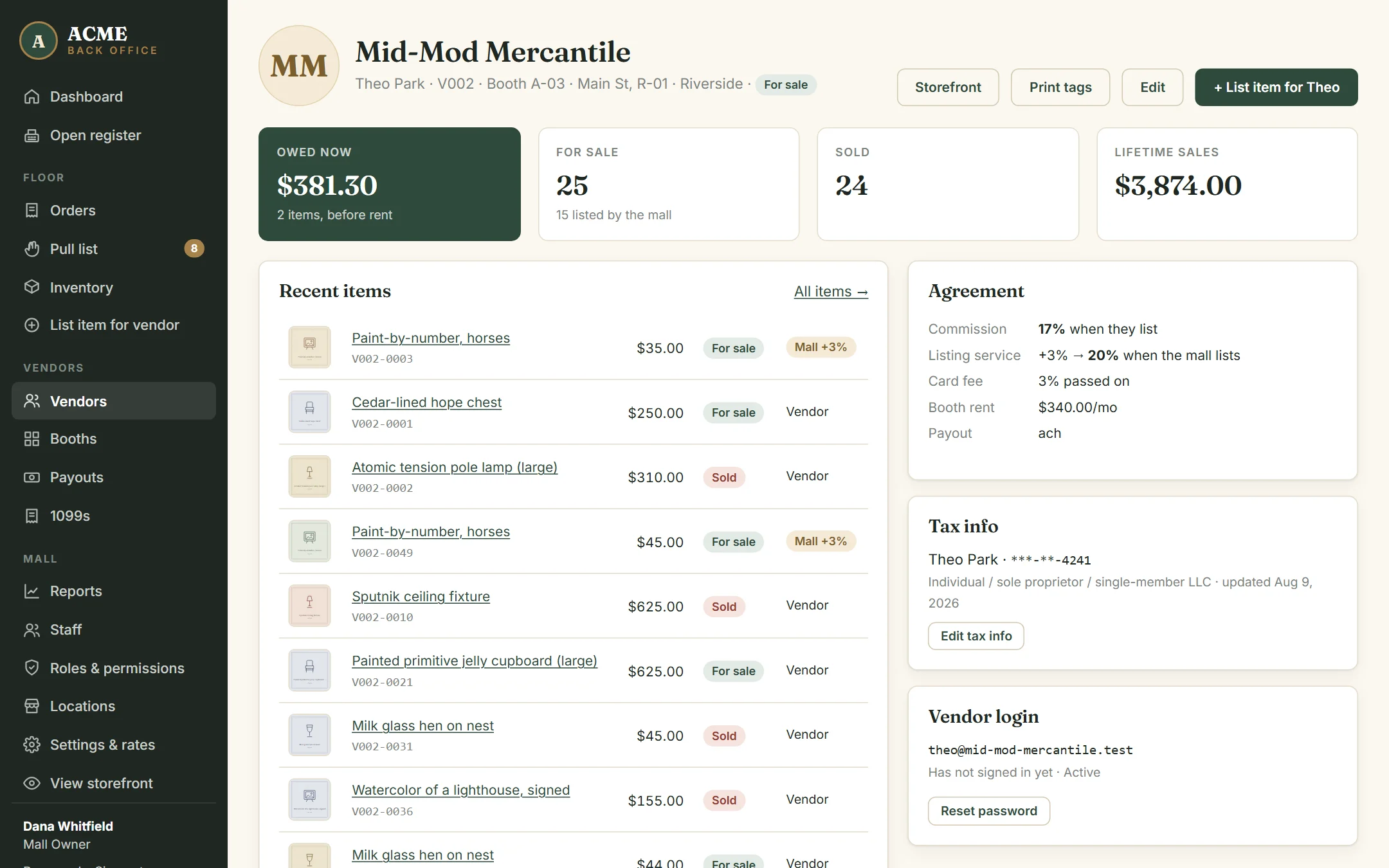
From here you can Edit their details, open their public storefront page, print tags for their booth, or list an item on their behalf.
Their rates
| Setting | Example | Used when |
|---|---|---|
| Mall commission | 17% | Every sale of their items |
| Listing service | +3% (so 20% total) | Only items your staff listed for them |
| Card fee passed on | 3% | Card sales, if your card fee is paid by vendors |
Changing a rate affects future sales only. Only roles with Set vendor rates can change these; others can still edit a dealer’s details.
When a dealer leaves
Edit the dealer and set Status to Inactive. Their login stops working, their storefront page disappears, and their history stays for your records. Untick their booth to free it for the next dealer. Pay out anything still owed first.